Imagine a gaming sanctuary free from the snag of cables, where every sonic detail from a creeping footstep to a soaring orchestral score reaches your ears with pristine clarity, untethered. The era of compromising audio quality for the convenience of wireless is over. In 2026, wireless audio technology has evolved into a powerhouse, capable of delivering the low-latency, high-fidelity sound that competitive and immersive gaming demands. The clutter-free desk is no longer just an aesthetic choice; it's a performance-enhancing reality.
This topic matters because audio is half of the gaming experience. Superior sound provides a critical tactical advantage, deepens narrative immersion, and enhances overall enjoyment. This article will guide you through the essential components, protocols, and configuration strategies to build a flawless wireless audio ecosystem for your gaming setup. You will learn how to select the right gear, understand the underlying technologies like lossless codecs and sub-millisecond transmission, and optimize your space for an unparalleled wireless auditory experience.
The Foundation: Understanding Modern Wireless Protocols
The core of any wireless audio system is its transmission protocol. In 2026, we have moved far beyond the basic Bluetooth that once introduced frustrating lag and compression. The gaming audio landscape is now dominated by specialized low-latency protocols and next-generation Bluetooth standards. Proprietary dongle-based systems, using a dedicated 2.4GHz RF (Radio Frequency) connection, still offer the absolute lowest latency, often under 1ms, making them the gold standard for competitive esports where every millisecond counts. These systems create a direct, uncompressed link between the transmitter and your headset, free from interference.
Alongside proprietary RF, Bluetooth has undergone a revolution with the widespread adoption of LE Audio and the LC3plus codec. Bluetooth LE Audio provides a more efficient, stable connection with significantly lower power consumption, while the LC3plus codec delivers high-quality audio at much lower bitrates, reducing latency to a gaming-viable 20-40ms range. Furthermore, new Bluetooth Multipoint technology allows a single headset to maintain connections with both your gaming PC and your phone simultaneously, seamlessly switching between game audio and a call. For console gamers, platform-specific wireless solutions that integrate directly with the PlayStation, Xbox, or Nintendo ecosystems offer plug-and-play simplicity and guaranteed compatibility.
Choosing the right protocol depends on your primary use case. For hardcore competitive FPS or fighting game players, a dedicated 2.4GHz dongle system is non-negotiable. For immersive single-player adventures, RPGs, or casual multiplayer, modern Bluetooth LE Audio headsets provide exceptional quality and convenience without perceptible lag. Always check the specified latency figures; anything under 30ms is generally considered excellent for gaming and imperceptible to most users.
Core Components: Headsets, Speakers, and Transmitters
Your wireless audio chain is only as strong as its individual links. For headsets, 2026 models focus on three pillars: driver quality, microphone clarity, and battery life with fast charging. Look for headsets with large, high-quality drivers (like 50mm neodymium) that support high-resolution audio formats. Microphone technology has also leaped forward, with AI-powered noise suppression and beamforming arrays that isolate your voice from keyboard clacks and background noise, ensuring crystal-clear comms. Battery life now routinely exceeds 40 hours on a single charge, with quick-charge features offering 6 hours of play from a 15-minute plug-in.
Wireless gaming speakers have also matured, offering a cable-free desktop or living room experience. Multi-channel systems connect via WiSA (Wireless Speaker and Audio Association) or proprietary low-latency protocols, delivering surround sound without the wire spaghetti. Soundbars designed for PCs and consoles now feature HDMI eARC for high-bandwidth audio passthrough and built-in subwoofers that connect wirelessly, allowing for deep bass without a physical cable tethering the sub to the main unit. The key is ensuring all components in a speaker system are designed to work together on the same wireless standard to maintain sync.
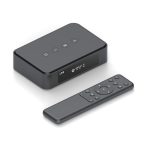
The transmitter, or dongle, is a critical but often overlooked component. For RF headsets, the quality of the dongle's signal processing and its USB connection (prefer USB-C for future-proofing) matters. Some advanced transmitters now also function as USB DACs (Digital-to-Analog Converters), improving sound quality before it's even transmitted. For Bluetooth, ensure your PC or console has a modern Bluetooth 5.3 or later adapter, or invest in a high-quality external USB Bluetooth transmitter that supports LE Audio and all the latest codecs for the best performance.
The Immersion Engine: Spatial Audio and Software Suites
Hardware is only part of the equation; software defines the soundscape. Spatial audio technologies like Dolby Atmos for Headphones, DTS Headphone:X, and Windows Sonic have become standard tools. These software solutions take multi-channel audio signals and process them to create a convincing 3D sound field through any stereo headset, allowing you to pinpoint sounds above, below, and precisely around you. In 2026, these technologies are more refined and often come bundled with premium wireless headsets, providing a significant tactical and immersive advantage.
Manufacturer software suites are now central hubs for customization. Apps from brands like SteelSeries GG, Corsair iCUE, and Logitech G Hub allow you to create custom audio profiles for different game genres, adjust equalizer settings on the fly, control RGB lighting (if present), and manage device battery levels. You can set up a "Competitive FPS" profile that enhances footstep frequencies and a "Cinematic RPG" profile that boosts bass and dialogue clarity, switching between them with a single click. These suites also handle firmware updates, ensuring your wireless gear always performs at its best.
To leverage these tools, start by enabling spatial audio in your Windows or console sound settings and choosing your preferred provider. Then, dive into your headset's companion software. Spend time calibrating the equalizer; a common starting point for competitive gaming is a slight boost in the 2kHz-4kHz range for clearer footsteps and a reduction in overpowering bass. Many games also have their own audio settings, such as "Headphones" or "3D Audio" modes, which should always be selected to ensure the game engine is outputting the optimal signal for your spatial audio software to process.
Optimizing Your Wireless Environment and Connectivity
A wireless signal is only as good as its environment. The 2.4GHz band, used by both Wi-Fi and many wireless audio devices, can become congested. To minimize interference, place your wireless audio dongle on a front-panel USB port or use a USB extension cable to position it away from your PC case and router, ideally within line-of-sight of your headset. If you use a Wi-Fi 6E or Wi-Fi 7 router, you can often set it to use the clearer 5GHz or 6GHz bands for your internet traffic, leaving the 2.4GHz band freer for your audio devices.
Power management is crucial for maintaining a stable connection and device longevity. While it's tempting to always keep your headset on the charging dock, most modern lithium-ion batteries have a longer lifespan if kept between 20% and 80% charge. Use the power-saving features, like auto-sleep when idle, to extend time between charges. For multi-device setups, manage your Bluetooth connections wisely. If your headset supports Multipoint, prioritize your gaming PC as the primary device to ensure it gets the bandwidth priority during gameplay.
Future-proof your setup by considering connectivity standards. USB-C is now ubiquitous, so ensure your transmitters and charging cables use it. For consoles, ensure compatibility—many wireless headsets designed for Xbox use a specific protocol that requires official licensing, denoted by the "Designed for Xbox" badge. If you stream, investigate dual-wireless headsets that can receive game audio via a 2.4GHz dongle while simultaneously connecting to a mobile device via Bluetooth for managing stream alerts and chat, keeping all audio sources separate and manageable.
Beyond the Headset: Wireless Microphones and Accessories
The wireless revolution extends beyond listening. Standalone wireless microphones, like high-quality lavalier mics or broadcast-style boom mics, have become popular for streamers and content creators who want studio-grade voice clarity without being anchored to their desk. These systems use the same robust UHF or 2.4GHz digital transmission as professional gear, offering exceptional range and noise rejection. This allows for dynamic movement during streams or recordings while maintaining consistent audio quality.
Wireless control is another frontier. Dedicated wireless audio control pads, like the Elgato Stream Deck, can be programmed to adjust game/chat audio balance, mute your mic, switch audio profiles, or control system volume with a single tap, all without tabbing out of your game. Wireless charging pads integrated into mousepads or stands keep your headset powered up between sessions, ensuring you never start a game with a low battery. The goal is to remove every unnecessary cable from your immediate control zone.
When integrating these accessories, focus on ecosystem synergy. Choosing accessories from the same brand as your primary headset can often allow for unified control within one software suite. However, don't be afraid to mix and match for best-in-class components; just be prepared to manage multiple software applications. Start with the core headset, then expand based on your needs—a wireless mic for streaming, a control pad for convenience, and finally, wireless speakers for casual, non-headset listening. This modular approach lets you build your perfect setup over time.
Key Takeaways
- ✓ Protocol is paramount: Choose low-latency 2.4GHz RF dongles for competitive play and modern Bluetooth LE Audio for immersive, multi-device convenience.
- ✓ Software defines your soundscape: Utilize spatial audio (Dolby Atmos, DTS:X) and manufacturer software suites to create custom 3D audio profiles for different game genres.
- ✓ Optimize your wireless environment: Reduce signal interference by separating audio dongles from routers and PCs, and manage your device power to ensure stability and longevity.
- ✓ Think beyond the headset: Enhance your setup with wireless microphones for streaming and wireless control pads for instant audio adjustments without leaving your game.
- ✓ Future-proof with USB-C and platform-specific compatibility, especially for console gaming, to ensure your investment remains viable for years to come.
Frequently Asked Questions
Is there still a noticeable audio delay with wireless headsets in 2026?
For all practical purposes, no—for gaming. High-quality gaming headsets using dedicated 2.4GHz RF technology have latency under 1ms, which is lower than the response time of most monitors. Modern Bluetooth LE Audio headsets have reduced latency to 20-40ms, which is imperceptible to the vast majority of gamers and perfectly suitable for non-competitive gaming.
Can I use one wireless headset for both my PC and my PlayStation or Xbox?
It depends on the headset. Many "multi-platform" headsets come with both a USB dongle (for PC/PlayStation) and a separate, often proprietary, dongle for Xbox due to Microsoft's licensing requirements. Some newer models with Bluetooth can also pair directly to a console that supports it, but for the lowest latency and full feature use, the dedicated dongle is always recommended. Always check the manufacturer's platform compatibility list.
How do I deal with wireless interference in a crowded apartment building?
First, use a USB extension cable to position your audio dongle away from your PC and router. Second, log into your router's settings and change its 2.4GHz Wi-Fi channel to 1, 6, or 11, which are non-overlapping. If your router supports it, shift your primary devices to the 5GHz or 6GHz band. Finally, consider a headset that offers frequency-hopping technology, which automatically finds the clearest channel.
What battery life should I expect, and how can I preserve it?
In 2026, premium wireless gaming headsets typically offer 30-50 hours of battery life. To preserve battery health, avoid constantly draining it to 0% or leaving it on the charger at 100% for extended periods. Aim to keep it between 20% and 80% for daily use. Utilize auto-sleep/shutoff features and turn off RGB lighting if you don't need it, as this significantly drains power.
Are wireless gaming speakers a good alternative to headsets?
They are an excellent alternative for immersive, non-competitive gaming where you don't need a microphone or absolute audio privacy. Modern wireless speaker systems offer great sound and a clutter-free desk. However, for competitive play, communication, or late-night gaming, headsets are still superior due to their included mic, directional audio precision, and lack of sound leakage that could disturb others.
Conclusion
Building the ultimate wireless gaming audio setup in 2026 is an exercise in strategic selection and smart optimization. By understanding the critical role of low-latency protocols, investing in high-fidelity components with robust software support, and carefully managing your wireless environment, you can achieve a seamless, cable-free experience that rivals and often surpasses traditional wired setups. The technology has matured to a point where wireless audio is no longer a compromise but a premium feature that enhances both performance and immersion.
Begin your journey by auditing your current setup and identifying your primary gaming style. Start with a core wireless headset that matches your latency needs and platform, then gradually layer in software customization and complementary accessories. Embrace the freedom that modern wireless audio provides. Your ears—and your desk—will thank you for it.

Emily Reynolds is a U.S.-based electronics expert with over 8 years of experience reviewing and analyzing consumer electronics and smart devices. She specializes in gadgets, home electronics, and emerging tech designed to improve everyday life. Emily’s reviews focus on real-world performance, usability, and long-term reliability, helping readers understand complex technology and choose electronics that truly fit their needs.