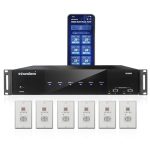
Imagine a home where music follows you from room to room, a movie theater experience without a tangle of cables behind your TV, and crystal-clear conference calls from anywhere in your office. This is the promise of wireless audio, a technology that has evolved from a niche convenience to a mainstream standard, fundamentally changing how we interact with sound. The quest to cut the cord has driven innovation, leading to a landscape filled with options, each with its own strengths and ideal uses.
Understanding how to transmit audio wirelessly is no longer just for audiophiles or tech enthusiasts; it's a practical skill for anyone setting up a home entertainment system, creating a productive workspace, or simply enjoying media on their own terms. With the market flooded by terms like Bluetooth, Wi-Fi, AirPlay, and HDMI ARC, making the right choice can be daunting. This article will demystify the core technologies, compare their real-world applications, and provide actionable guidance to help you build a seamless, high-quality wireless audio ecosystem tailored to your needs in 2026.
The Core Technologies: From Radio Waves to Digital Protocols
At its heart, wireless audio transmission is about converting sound into a digital signal, compressing it, sending it via radio waves, and decoding it back into sound at the receiver. The method of compression, transmission, and synchronization defines the user experience. The oldest and most universal technology is Bluetooth, which uses short-range radio waves in the 2.4 GHz band to create a direct, device-to-device connection known as pairing. Modern Bluetooth versions, especially those supporting the LE Audio standard with the LC3 codec, offer significantly improved sound quality, lower latency, and multi-stream audio, allowing you to send audio to two headphones or speakers simultaneously from one source.
Wi-Fi-based transmission represents a different approach. Instead of a direct link, audio is streamed over your existing local network. Protocols like Apple's AirPlay 2, Google's Chromecast built-in, and others treat audio like data packets sent across the internet. This method typically offers higher bandwidth than Bluetooth, supporting lossless or high-resolution audio formats without aggressive compression. It also enables multi-room audio setups with superior synchronization, letting you group speakers in different rooms to play the same music in perfect harmony, a feature that has become a staple in modern smart homes.
A third critical category is dedicated wireless standards for specific home theater components. The most prominent is HDMI ARC and its enhanced successor, eARC. When you connect your smart TV to a soundbar or AV receiver via an HDMI cable labeled ARC, it creates a bidirectional channel. While the video signal goes to the TV, the TV can send audio back down the same cable to your sound system wirelessly for all its internal apps and connected devices. For truly cable-free setups, proprietary radio-frequency systems from companies like Sennheiser or Sony are used for high-performance wireless headphones and gaming headsets, offering robust, low-latency connections over greater distances than Bluetooth.
Bluetooth: The King of Portability and Personal Audio
Bluetooth remains the undisputed champion for personal, on-the-go audio due to its ubiquitous support and effortless pairing. Virtually every smartphone, tablet, laptop, and portable speaker includes Bluetooth, making it the universal translator of wireless sound. Its primary use case is creating a personal bubble of audio, whether you're listening with wireless earbuds during a commute, connecting your phone to a car stereo, or playing music from a tablet on a Bluetooth speaker at a picnic. The technology is designed for convenience and energy efficiency, prioritizing battery life and ease of connection over absolute audiophile quality.
The quality of a Bluetooth audio connection is heavily influenced by the codecs supported by both the transmitting and receiving devices. Basic SBC codec is standard but can compress sound noticeably. Superior codecs like aptX Adaptive, LDAC, and the new LC3 (part of LE Audio) provide much better sound quality, approaching wired levels, and reduce latency for better video sync. For the best experience, ensure your source device and your headphones or speaker support the same high-quality codec. In 2026, LE Audio is becoming widespread, bringing features like Audio Sharing, which allows multiple people to listen to the same audio stream from a single device.
For practical use, always start by ensuring your devices are charged and in pairing mode. On your source device, navigate to the Bluetooth settings, scan for devices, and select your speaker or headphones. For critical listening like gaming or watching movies, check your device settings for a "Gaming Mode" or low-latency codec option to minimize the audio delay. Remember that Bluetooth range is typically around 30 feet in open space but can be reduced by walls and interference from other 2.4 GHz devices like Wi-Fi routers and microwaves.
Wi-Fi & Multi-Room Systems: Whole-Home Audio Mastery
When your goal is to fill your home with synchronized, high-fidelity sound, Wi-Fi-based systems are the superior choice. Unlike Bluetooth's direct link, Wi-Fi streaming uses your home network as a highway, offering greater range, stability, and bandwidth. This allows for uncompressed or lightly compressed audio transmission, meaning the music from your streaming service can be played back at its highest possible quality. Systems like Sonos, Bose SoundTouch, and speakers with built-in AirPlay 2 or Chromecast excel in this domain, creating a seamless whole-home audio network.
Setting up a multi-room system is centered on your home's Wi-Fi network. Each smart speaker connects to your Wi-Fi independently via a manufacturer's app. Within that app, you can then group speakers by room—like "Living Room," "Kitchen," and "Deck"—and control what plays where. You can play different music in each zone or link them all for a party mode. The synchronization is handled by the network, ensuring no echo or delay between rooms. This setup also allows for voice control integration with Amazon Alexa, Google Assistant, or Siri, enabling you to control playback with simple voice commands.
For optimal performance, a robust Wi-Fi network is essential. Consider placing your router centrally and using Wi-Fi mesh network systems if you have a large home or dead zones. When choosing a platform, consider your ecosystem: AirPlay 2 works seamlessly within Apple's environment, while Chromecast built-in integrates deeply with Android and Google services. Many modern speakers support both, offering flexibility. Start with a single speaker in your most-used room and expand over time; most systems allow you to mix and match different models within the same brand for a customized setup.
HDMI and TV-Centric Wireless Solutions
The living room theater presents a unique challenge: transmitting high-quality, often multi-channel audio from a television to a sound system with perfect synchronization to the on-screen action. This is where HDMI ARC and eARC become indispensable. While they use a single initial cable connection, they enable a wireless-like experience for all other devices. Once your TV and soundbar or AV receiver are connected via the ARC-enabled HDMI port, the audio from your TV's built-in streaming apps, connected gaming consoles, and cable boxes is sent wirelessly to your audio system without needing separate audio cables for each device.
The evolution to eARC is a significant upgrade. It supports the highest quality audio formats, including Dolby Atmos and DTS:X object-based soundtracks, which create a three-dimensional audio field. It also has a much higher bandwidth and uses a more robust synchronization protocol, virtually eliminating lip-sync issues. If you have a modern 4K/8K TV and a premium sound system capable of Atmos, ensuring both support eARC and that you use a certified High-Speed HDMI cable is crucial for the best cinematic experience.
For a completely cable-free connection between your TV and speakers, dedicated wireless audio transmitters are an option. These kits typically include a transmitter that plugs into your TV's optical audio or HDMI ARC port and a receiver that connects to your speaker system. They use proprietary wireless protocols to send the audio signal across the room. While convenient, ensure the system supports low latency to avoid audio lag and check that it can handle 5.1 surround sound if needed. These are excellent solutions for retrofitting a wireless setup to an older TV and speaker system without running cables across the room.
Future Trends and Making Your Choice in 2026
The wireless audio landscape continues to evolve rapidly. The most significant trend is the maturation of Bluetooth LE Audio, which is set to become the new baseline, offering better sound quality at lower power consumption and enabling new use cases like hearing aid support and broad-scale audio sharing in public spaces. Furthermore, the integration of spatial audio and head-tracking technology in personal headphones is creating immersive, cinema-like experiences from stereo sources. Expect more devices to support these personalized, 3D audio formats natively.
Another key trend is the consolidation of standards and greater interoperability. Matter, the new smart home connectivity standard, while initially focused on device control, paves the way for more unified multi-vendor audio experiences. Manufacturers are also increasingly building multi-protocol support into speakers and soundbars, allowing a single device to accept Bluetooth, AirPlay, and Chromecast connections, giving you the freedom to choose the best method for each situation. This "connectivity agnosticism" is a major benefit for consumers.
To make the right choice, first define your primary use case. Is it for personal, mobile listening? Bluetooth headphones with a high-quality codec are your answer. Is it for whole-home music? Invest in a Wi-Fi-based multi-room system. For home theater, prioritize eARC for the best quality or a reliable wireless transmitter kit for simplicity. Always check the specifications for supported codecs and protocols, and read reviews that test real-world range and latency. Don't be afraid to mix systems; you can have Bluetooth for personal use and a Wi-Fi system for your home, using the right tool for each job to create your perfect wireless audio environment.
Key Takeaways
- ✓ Bluetooth is ideal for portable, personal audio, with modern codecs like LC3 and aptX Adaptive greatly enhancing sound quality and reducing latency.
- ✓ Wi-Fi-based systems (AirPlay 2, Chromecast, Sonos) are superior for whole-home, multi-room audio, offering higher fidelity and perfect synchronization across speakers.
- ✓ HDMI eARC is the gold standard for wireless-like home theater audio, enabling high-bandwidth, lossless transmission of object-based formats like Dolby Atmos from your TV to your sound system.
- ✓ Your specific use case—personal, whole-home, or home theater—should dictate your choice of wireless audio technology.
- ✓ The future points towards Bluetooth LE Audio for efficiency, widespread multi-protocol support in devices, and more immersive spatial audio experiences.
Frequently Asked Questions
What is the difference between Bluetooth and Wi-Fi for audio?
Bluetooth creates a direct, short-range connection between two devices, ideal for headphones and portable speakers. Wi-Fi streams audio over your local network, allowing for higher quality, multi-room playback, and control from multiple devices. Think of Bluetooth as a walkie-talkie (direct link) and Wi-Fi as a radio station broadcast (network-based).
Why is there a delay (lip-sync issue) with my wireless audio when watching TV?
Audio delay, or latency, happens because the wireless transmission and processing of the audio signal takes time. Bluetooth, especially with older codecs, is often the culprit. To fix this, use a low-latency Bluetooth codec (like aptX LL), switch to a Wi-Fi protocol (AirPlay 2 is very good for sync), or for TV, use an HDMI eARC connection which is designed to eliminate sync problems.
Can I get true surround sound wirelessly?
Yes. For home theater, HDMI eARC can transmit full, lossless surround sound formats like Dolby Atmos wirelessly from your TV to a compatible soundbar or receiver. Some high-end proprietary wireless systems from brands like Nakamichi or JBL also offer true wireless rear speaker kits that transmit full surround channels without wires.
How many wireless speakers can I connect at once?
It depends on the technology. Bluetooth typically connects to one or two devices simultaneously (with dual-stream). Wi-Fi multi-room systems can often connect dozens of speakers across a home, grouped in various combinations. Bluetooth LE Audio introduces Auracast, a broadcast-like feature that could allow one-to-many connections in public venues.
Do wireless connections reduce audio quality compared to wires?
They can, but the gap has narrowed dramatically. Basic Bluetooth compression is noticeable to critical listeners, but high-quality codecs (LDAC, aptX HD) and Wi-Fi streaming (which can be lossless) can deliver sound quality that is indistinguishable from a wired connection for most people. The convenience and flexibility often outweigh the negligible quality difference for everyday listening.
Conclusion
Navigating the world of wireless audio in 2026 is about understanding the tools available and matching them to your lifestyle. From the personal freedom offered by advanced Bluetooth earbuds to the immersive soundscape of a Wi-Fi-powered multi-room system or a theater-grade eARC setup, the technology has matured to deliver both convenience and high fidelity. The core technologies—Bluetooth, Wi-Fi streaming, and HDMI advancements—each solve specific problems, empowering you to design an audio environment free from the constraints of cables.
Now is the perfect time to audit your current setup and identify where wires are causing clutter or limiting your enjoyment. Start with one pain point, whether it's untangling headphone wires at the gym or running a cable across your living room. Research the recommended solution for that specific scenario, check compatibility with your existing devices, and take the plunge into a wireless upgrade. The clarity, convenience, and sheer enjoyment of a well-implemented wireless audio system are well within reach, ready to elevate your daily soundtrack.

Emily Reynolds is a U.S.-based electronics expert with over 8 years of experience reviewing and analyzing consumer electronics and smart devices. She specializes in gadgets, home electronics, and emerging tech designed to improve everyday life. Emily’s reviews focus on real-world performance, usability, and long-term reliability, helping readers understand complex technology and choose electronics that truly fit their needs.